Named Groups and Backreferences
Named groups are used to store extracted data for further processing.
Syntax
Curly brackets enclose the whole query or subquery. A label is used for referring to the content of the named group later. Note that spaces are not allowed between the right bracket, colon and label.
When a rule successfully matches some text, the sequence matched by query is stored into the named group "label". Afterwards, one can refer to the contents of the group through backreference.
Syntax
A named group can store the matches of the whole query or any subquery that is a valid query expression.
Example
Named groups can be arbitrarily nested.
Example
Named group label must be unique within its parent rule. However, neighbour rules can have groups with the same label, as shown in figure Figure 1
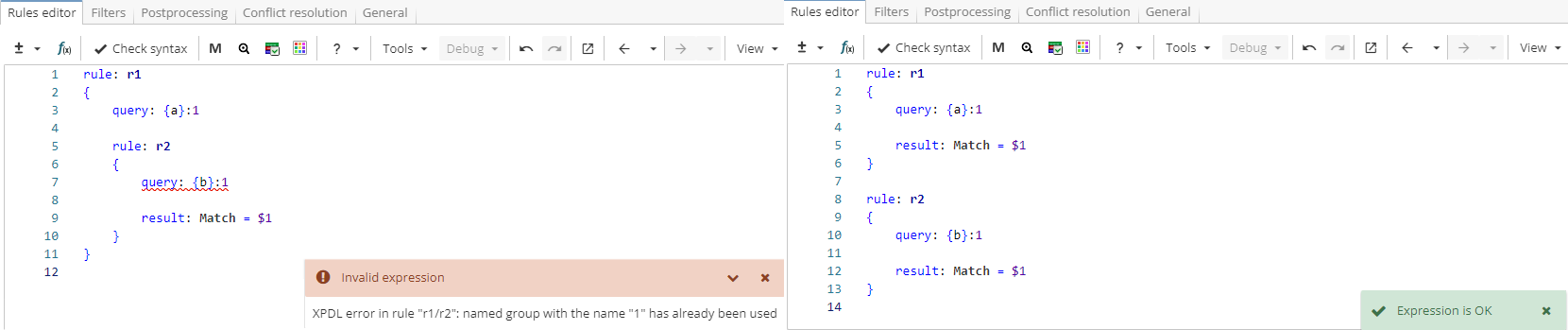
Rule fragment
 rule: r1
 {
 	query: {a}:1

 	rule: r2
 	{
 		query: {b}:1

 	result: Match = $1
 	}
 }
Named group content is immutable. This means that nested rules can access but not modify values stored in the named groups that were declared in the parent rules (except for the cases described in the section Specialized rule types). If a rule sets additional restrictions on values stored in the named group, a new named group must be declared to capture values that meet these new restrictions.
Consider a ruleset in Figure 2 that extracts numbers followed by the percent sign.
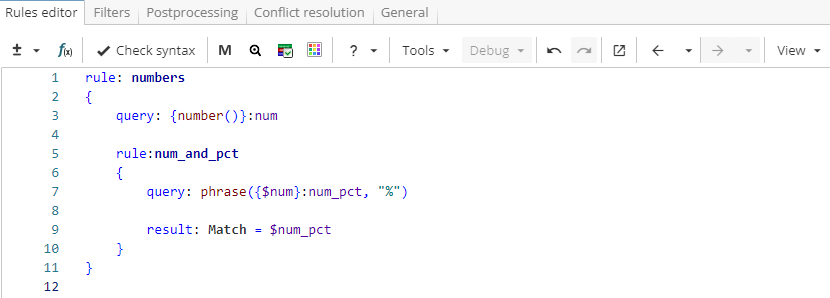
Rule fragment
 rule: numbers
 {
 query: {number()}:num

 rule:num_and_pct
 {
 query: phrase({$num}:num_pct, "%")

 result: Match = $num_pct
 }
 }
When the ruleset is applied to text

the upper-level rule captures all numbers in the text ("65.5", "455,000" and "753,000") into the group named "num". Then, after the nested rule is run, a subset of those numbers followed by the percent sign is stored in the group named "num_pct". The content of the group "num_pct" constitutes the rule output shown in Figure 3

Note, however, that the group "num" still stores all numbers, not only those followed by "%" sign. To check this, one can change the result like it is shown in Figure 4 and output the group "num" instead of the group "num_pct".
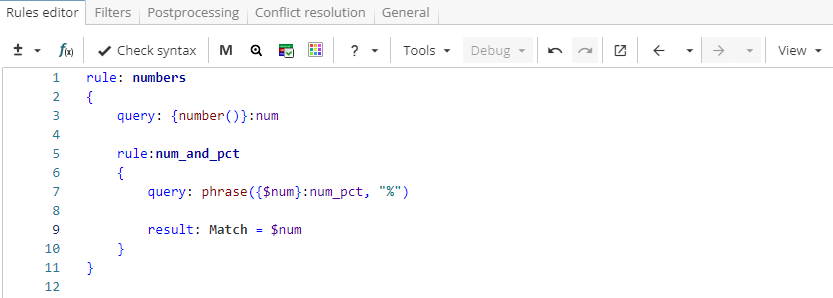
Rule fragment
 rule: numbers
 {
 query: {number()}:num

 rule:num_and_pct
 {
 query: phrase({$num}:num_pct, "%")

 result: Match = $num_pct
 }
 }
The output for the changed rule is shown in Figure 5.
