Viewing the results of the Condition node
The Condition node saves the dataset received from the parent node and passes it unchanged to the next nodes upon successful execution. The Condition node may stop the execution of nodes depending on the conditions and settings on the Children (Parents) tab.
The view window of the Condition node contains two tabs: Results and Settings.
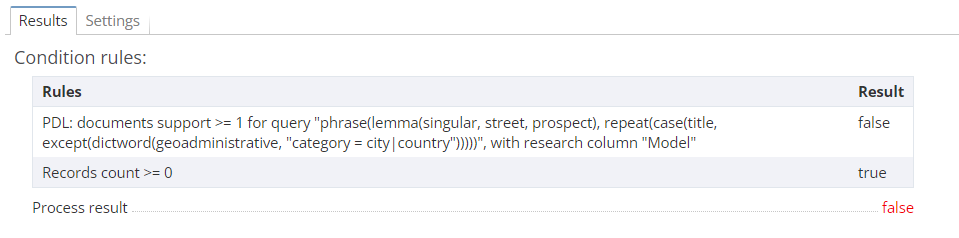
If one node is connected to the Condition node, the Results tab displays a table with two columns:
-
Rules – the name of the rule used.
-
Result – the result of applying the specified rule: true or false.
The bottom of the table displays the final result of the node execution. If the result is positive, the value is true (highlighted in green). If the result is negative, the value is false (highlighted in red).
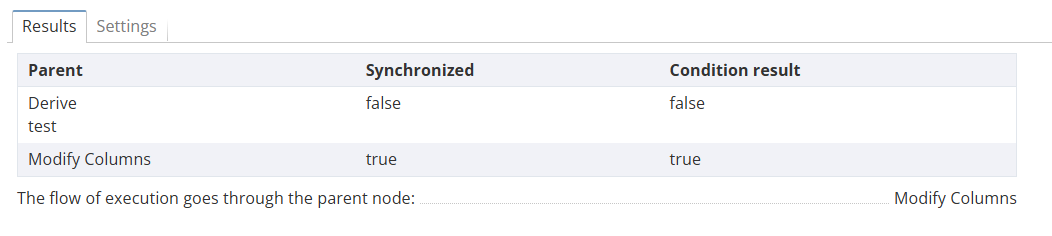
If several parent nodes are connected to the Condition node, the Results tab will contain the following columns:
-
Parent – contains all incoming nodes that are used by the Condition node.
-
Synchronized – displays the value True if the parent node is executed, otherwise, False.
-
Condition result – displays True if the conditions are met, otherwise, False.