XPDL Syntax Tips
This section contains several XPDL syntax tips to reduce typing effort and write shorter rules.
Tip 1
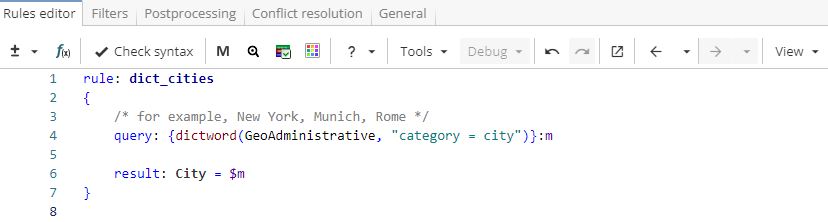
If a ruleset consists of a single rule that has no child rules and outputs the whole query match, it is enough to write only the query. For example, instead of standard rule form as in Figure 1, one could write only the query as in Figure 2.
Rule fragment
rule: dict_cities
 {
 /* for example, New York, Munich, Rome */
 query: {dictword(GeoAdministrative, "category = city")}:m

 result: City = $m
 }
Rule fragment
dictword(GeoAdministrative, "category = city")In this case, the rule body as well as the result section are generated automatically. Note that in this mode it is impossible to change built-in rule and result names ("xpdl_generated_rule" and "Match" respectively) or to add attributes to the result.
Tip 2
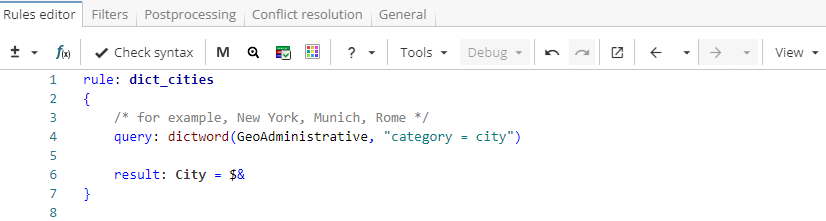
The "$&" expression can be used in the result section to refer to the complete text matched by the rule query which not enclosed in the named group (Figure 3).
Rule fragment
rule: dict_cities
 {
 /* for example, New York, Munich, Rome */
 query: dictword(GeoAdministrative, "category = city")

 result: City = $&
 }
Tip 3
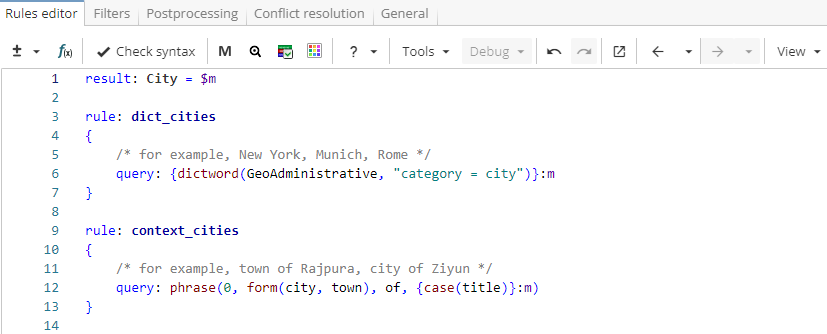
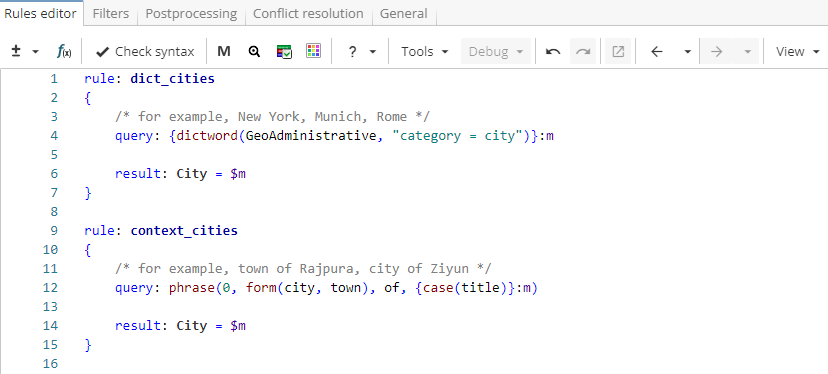
The result section at the top of the file is automatically added to the rules that do not have result sections. This can be useful to avoid copy-pasting if several rules contain the same result. For example, a ruleset in Figure 4 is equivalent to a ruleset in Figure 5.
Rule fragment
result: City = $m

 rule: dict_cities
 {
 /* for example, New York, Munich, Rome */
 query: {dictword(GeoAdministrative, "category = city")}:m
 }

 rule: context_cities
 {
 /* for example, town of Rajpura, city of Ziyun */
 query: phrase(0, form(city, town), of, {case(title)}:m)
 }
Rule fragment
 rule: dict_cities
 {
 /* for example, New York, Munich, Rome */
 query: {dictword(GeoAdministrative, "category = city")}:m

 result: City = $m
 }

 rule: context_cities
 {
 /* for example, town of Rajpura, city of Ziyun */
 query: phrase(0, form(city, town), of, {case(title)}:m)

 result: City = $m
 }