Advanced Topics
This section covers more advanced XPDL features.
Rules without Named Groups
A rule that does not declare any named groups acts as filter at the document level, i.e. its nested rules are called only if the document is successfully matched by that rule. The example below illustrates this idea.
Example. Organizations extraction
Consider a rule in Figure 1 that finds mentions of departments and organizations in the text.

Rule fragment
 rule: organizations
 {
 /* for example, Court of New Jersey, Department of Commerce */
 query: {phrase(0, orn(court, administration, department), of, optional(partofspeech(adjective)), partofspeech(noun))}:m

 result: Match = $m
 }
The rule looks for expressions like "Administration of Civil Aviation", "Department of State", "Court of Appeal". However, one may notice that the rule also extracts a lot of incorrect expressions with the word "administration" in the sense of "the action of dispensing or applying something" ("administration of docetaxel", "administration of contrast material"). As these errors most often occur in medical texts, one of the possible solutions is to prevent the rule from being applied to medical texts.
To do this, we can add an upper-level rule that matches only the documents which do not contain the words that frequently occur in medical texts, as shown in Figure 2. Thus, the child rule will be applied only to non-medical texts.
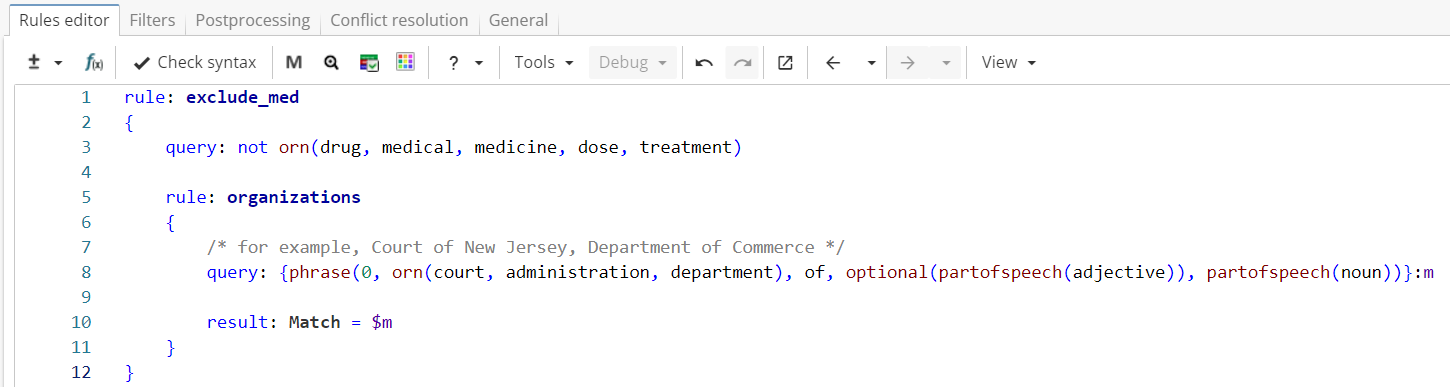
Rule fragment
rule: exclude_med
{
 query: not orn(drug, medical, medicine, dose, treatment)

 rule: organizations
 {
 /* for example, Court of New Jersey, Department of Commerce */
 query: {phrase(0, orn(court, administration, department), of, optional(partofspeech(adjective)), partofspeech(noun))}:m

 result: Match = $m
 }
}
Multiple Groups with The Same Name
XPDL allows multiple groups with the same name within the same query. This allows the storage of discontinuous matches.
Example
In this case all the groups with the same name act as one - positions matched by any group with that name are concatenated together into a single match. Thus, a reference matches the positions captured by any of the groups with that name. For instance, in the example above "$1" refers to "a c".
This functionality may be useful to exclude from the output positions considered not important. The example below illustrates this idea.
Example. Addresses extraction
Consider a ruleset in Figure 3 which extracts addresses consisting of a house number followed by a street name. An optional phrase "block of" is allowed between them.
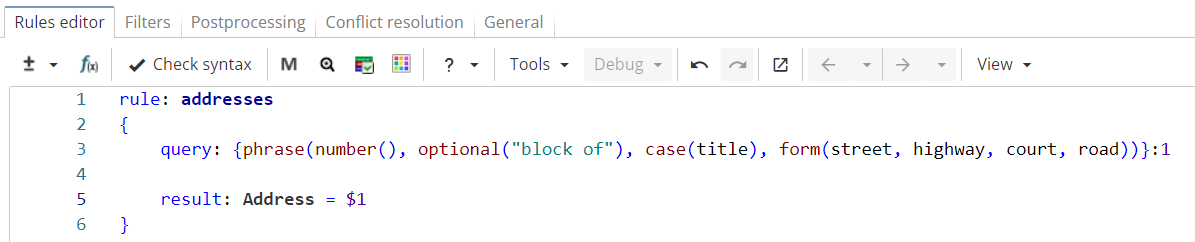
Rule fragment
  rule: addresses
 {
 query: {phrase(number(), optional("block of"), case(title), form(street, highway, court, road))}:1

 result: Address = $1
 }
The rule can be applied to the following text:
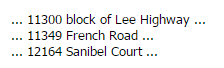
The rule output for this text can be seen in Figure 4.

If the desired output format is <House Number> <Street Name>, the phrase "block of" should be excluded from the match. This can be done by enclosing all address elements except for the phrase "block of" in the groups with the same name like in Figure 5.

Rule fragment
  rule: addresses
 {
 query: phrase({number()}:1, optional("block of"), {case(title)}:1, {form(street, highway, court, road)}:1)

 result: Address = $1
 }
As shown in Figure 6, the phrase "block of" is excluded from match.

Referencing Regular Expressions Capturing Groups
XPDL allows references to capturing groups from regular expressions through backreferences to regular expressions. Backreferences to regular expressions have slightly different syntax, but are otherwise equivalent to simple backreferences in XPDL and can be used in exactly the same way.
You can reference both named and numbered capturing groups. To reference a capturing group, first you have to put a regex() function into a named group.
Syntax
The following example shows the use of this functionality.
Example. Email addresses extraction.
Consider a simple rule in Figure 7 that extracts e-mail addresses.
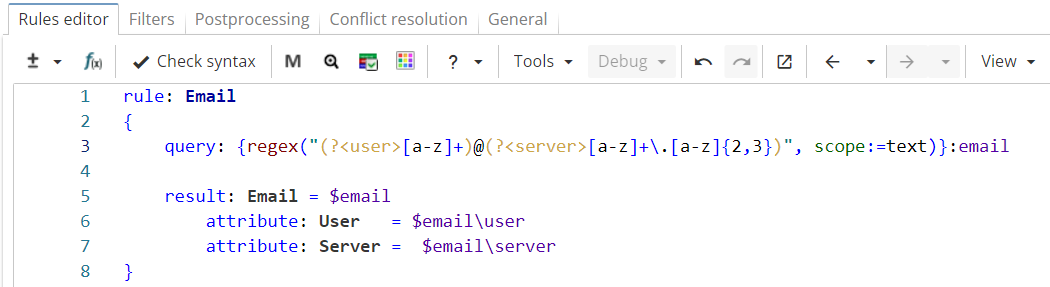
Rule fragment
 rule: Email
 {
 query: {regex("(?<user>[a-z]+)@(?<server>[a-z]+\.[a-z]{2,3})", scope:=text)}:email

 result: Email = $email
 attribute: User = $email\user
 attribute: Server = $email\server
 }
The regular expression in the rule contains two capturing groups named "user" and "server" which capture the sequence before and after "@" symbol respectively. Backreferences "$email\user" and "$email\server" match the sequences captured by groups named "user" and "server" respectively.
Figure 8 shows the rule output.

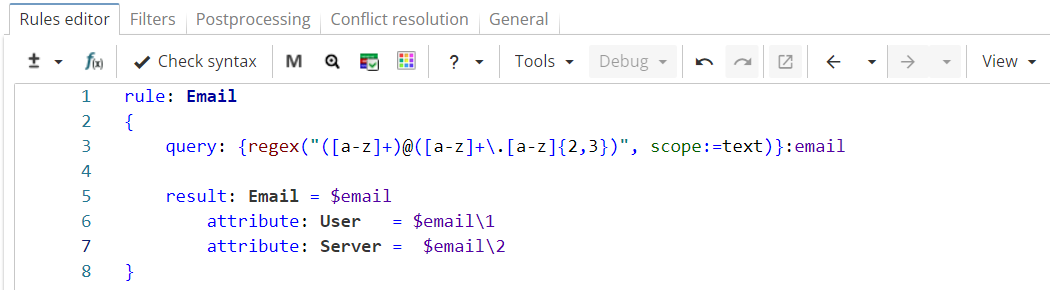
The example may be rewritten with numbered capturing groups as shown in Figure 9.
Rule fragment
  rule: Email
 {
 query: {regex("([a-z]+)@([a-z]+\.[a-z]{2,3})", scope:=text)}:email

 result: Email = $email
 attribute: User = $email\1
 attribute: Server = $email\2
 }
Regular expressions in Figure 7 and Figure 9 are identical in meaning, but in the second case capturing groups do not have names, so the group number is used instead. Thus, "$email\1" matches the sequence captured by the first pair of parentheses inside the regular expression, while "$email\2" matches the sequence captured by the second pair of parentheses. The rule returns the same result as the previous example (see Figure 8).
Named Subgroups and Compound References
Every time a named group is created, its nested named groups and references are stored into subgroups within that group and can be referenced along with the entire named group afterwards.
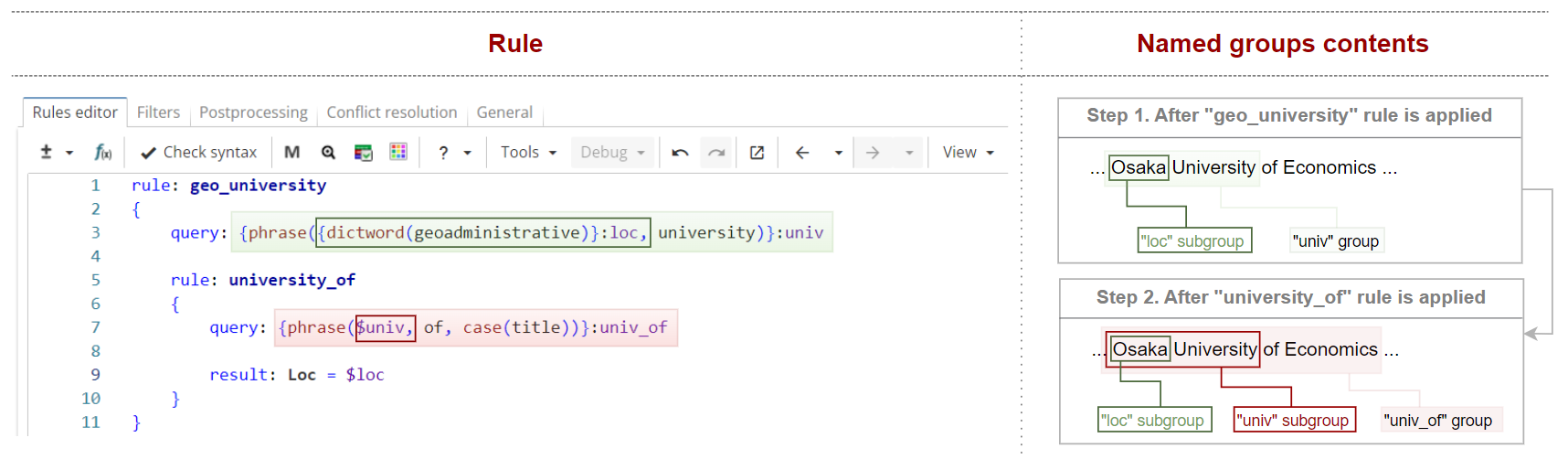
Consider a slightly modified version of the ruleset extracting university names that is shown in Figure 10.
Rule fragment
 rule: geo_university
 {
 query: {phrase({dictword(geoadministrative)}:loc, university)}:univ

 rule: university_of
 {
 query: {phrase($univ, of, case(title))}:univ_of

 result: Loc = $loc
 }
 }
The upper-level group declares two named groups - "univ" and "loc".
The upper-level rule matches, "Osaka" and "Osaka University", are stored into "loc" and "univ" groups respectively. "Osaka" is also stored into "loc" subgroup of the "univ" group because the "loc" group is nested into the "univ" group.
Similarly, when the nested rule matches "Osaka University of Economics", it is stored in "univ_of" group. "Osaka University" and "Osaka" are stored in "univ" and "loc" subgroups of that group respectively ("univ_of" has a nested reference to the group "univ" which has, in its turn, a subgroup "loc").
Subgroups can be referred to using compound reference syntax $group:subgroup. For example, $univ_of:univ refers to "Osaka University".
In case when there are several levels of nesting (loc → univ → univ_of), you have to specify only upper- and bottom- level groups (intermediate groups are omitted). For example, $univ_of:loc.
Although complicated at first sight, this functionality can be useful for practical tasks.
Example. Context-based person name extraction
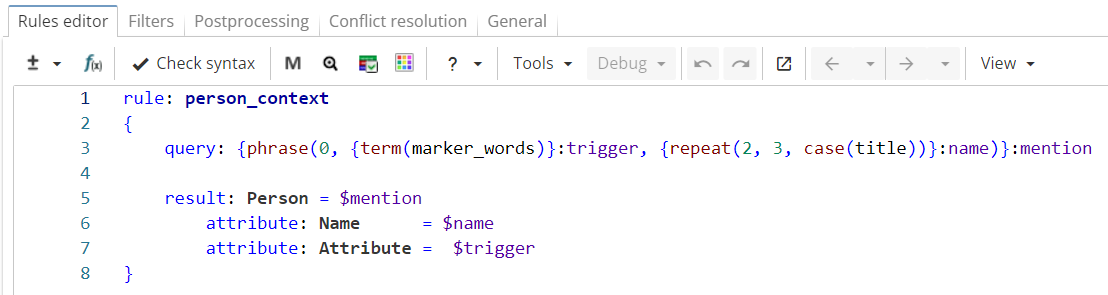
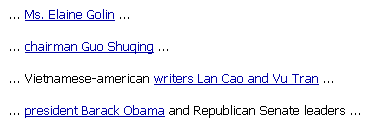
This example shows a simple context-based approach to person name extraction task. The rule shown in Figure 11 relies on word markers such as professions (architect, attorney, professor …) or forms of address (Mr, Ms, Miss…) as they indicate that the following title-case words may appear to be human names. Suppose such words have been added to the "marker_words" wordclass in advance. The query extracts words from the "marker_words" wordclass followed by two or three title-case words ("Ms. Elaine Golin", "chairman Guo Shuqing"…).
Rule fragment
  rule: person_context
 {
 query: {phrase(0, {term(marker_words)}:trigger, {repeat(2, 3, case(title))}:name)}:mention

 result: Person = $mention
 attribute: Name = $name
 attribute: Attribute = $trigger
 }
The ruleset is run on the following text:
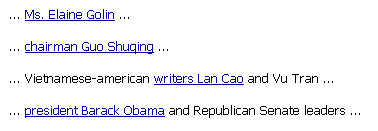
The rule output is generally correct. However, it can be noticed that marker words in plural usually indicate that there are no less than two coordinated names after it (e.g. "Vietnamese-American writers Lan Cao and Vu Tran"). So far, the rule has only extracted the first name, but one could add a nested rule to extract the second one as shown in Figure 12.
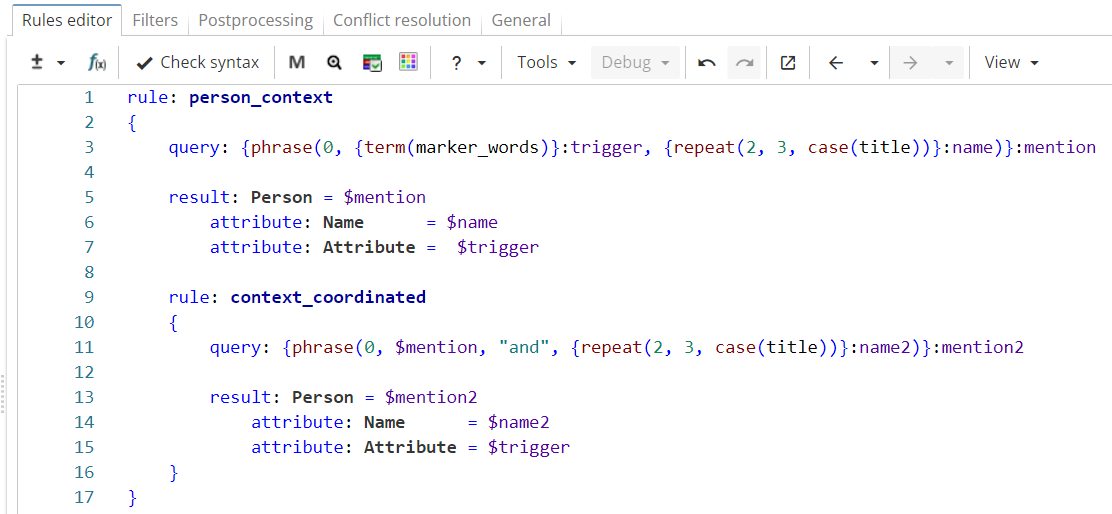
Rule fragment
 rule: person_context
 {
 query: {phrase(0, {term(marker_words)}:trigger, {repeat(2, 3, case(title))}:name)}:mention

 result: Person = $mention
 attribute: Name = $name
 attribute: Attribute = $trigger

 rule: context_coordinated
 {
 query: {phrase(0, $mention, "and", {repeat(2, 3, case(title))}:name2)}:mention2

 result: Person = $mention2
 attribute: Name = $name2
 attribute: Attribute = $trigger
 }
 }
However, this rule extracts incorrect matches like "president Barack Obama and Republican Senate leaders". To filter them out, one has to check whether a word marker is in plural, and therefore that’s where one needs to refer not to the whole name group "mention", but to its subgroup "trigger", as shown in Figure 13.
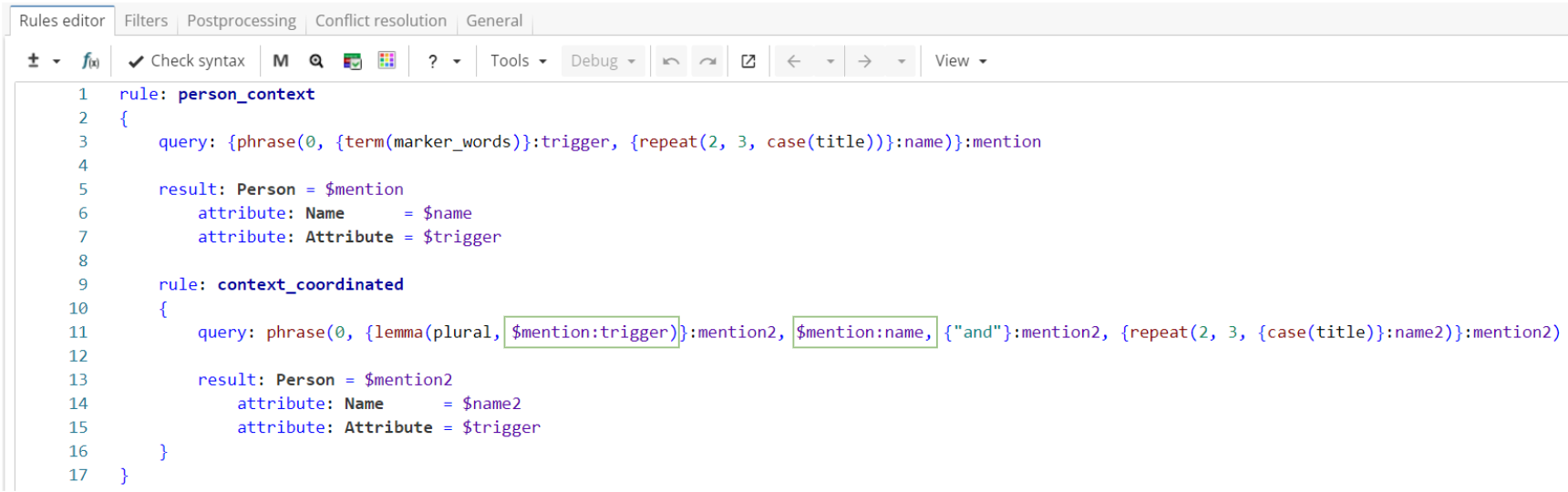
Rule fragment
 rule: person_context
 {
 query: {phrase(0, {term(marker_words)}:trigger, {repeat(2, 3, case(title))}:name)}:mention

 result: Person = $mention
 attribute: Name = $name
 attribute: Attribute = $trigger

 rule: context_coordinated
 {
 query: phrase(0, {lemma(plural, $mention:trigger)}:mention2, $mention:name, {"and"}:mention2, {repeat(2, 3, {case(title)}:name2)}:mention2)

 result: Person = $mention2
 attribute: Name = $name2
 attribute: Attribute = $trigger
 }
 }
Please note that if we name the whole pattern in the nested rule’s query as “$mention2”, then “writers Lao Cao” (matched by “$mention”) would be a part of larger match “writers Lao Cao and Vu Tran” (matched by the nested rule). In this case the ruleset will return only the larger match. To show both matches in the result table it’s necessary to use multiple groups with the same name, omitting “$mention:name” group (as shown in Figure 13), so that “$mention2” won’t contain the whole “$mention”.
The output of the final version of the rule returns correct results shown in Figure 14.
References to Position and References to Content
Consider a ruleset in Figure 15 that extracts company names and abbreviations that follow the pattern "company name (abbreviation)".
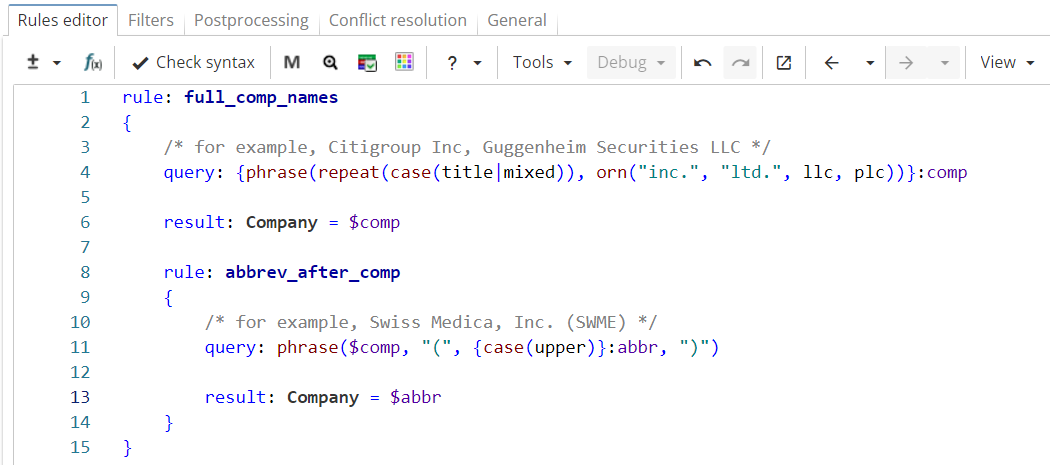
Rule fragment
rule: full_comp_names
 {
 /* for example, Citigroup Inc, Guggenheim Securities LLC */
 query: {phrase(repeat(case(title_mixed)), orn("inc.", "ltd.", llc, plc))}:comp

 result: Company = $comp

 rule: abbrev_after_comp
 {
 /* for example, Swiss Medica, Inc. (SWME) */
 query: phrase($comp, "(", {case(upper)}:abbr, ")")

 result: Company = $abbr
 }
 }
So far, the rules only extract abbreviations that follow full company names, like in Figure 16.

However, company name abbreviations can occur later in the text independently like in Figure 17.

It seems useful to extract those independent occurrences as well since it is already known which company they refer to. The natural first choice would be to use a backreference expression, as shown in Figure 18.
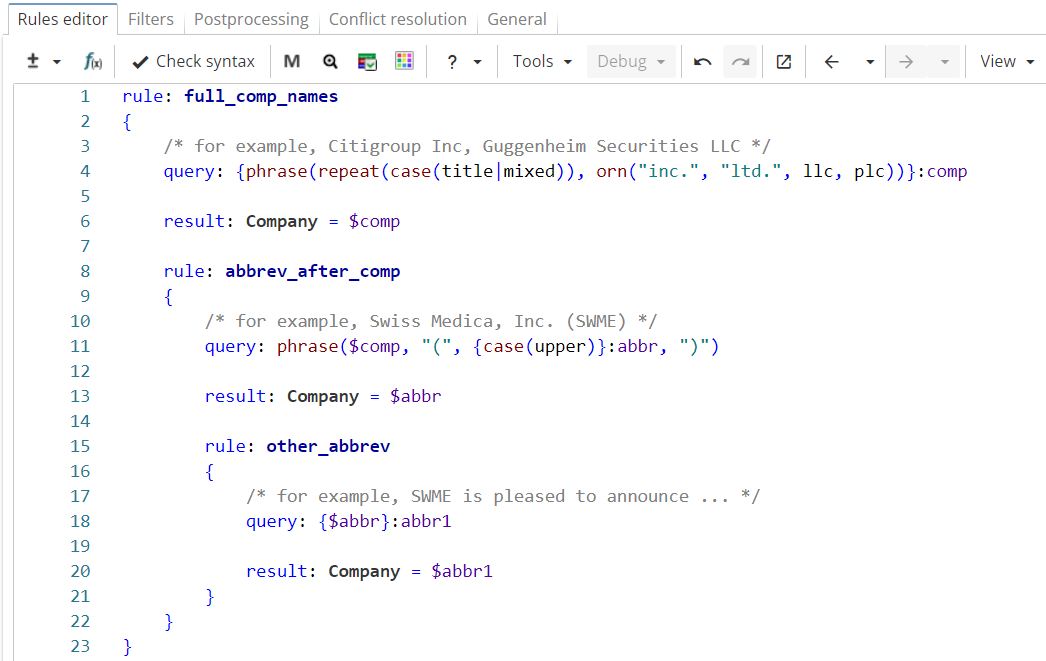
Rule fragment
rule: full_comp_names
 {
 /* for example, Citigroup Inc, Guggenheim Securities LLC */
 query: {phrase(repeat(case(title_mixed)), orn("inc.", "ltd.", llc, plc))}: comp

 result: Company = $comp

 rule: abbrev_after_comp
 {
 /* for example, Swiss Medica, Inc. (SWME) */
 query: phrase($comp, "(", {case(upper)}:abbr, ")")

 result: Company = $abbr

 rule: other_abbrev
 {
 /* for example, SWME is pleased to announce */
 query: {$abbr}:abbr1

 result: Company = $abbr1
 }
 }
 }
Unfortunately, if the rule is run on the sample text, it is still unable to retrieve other occurrences of "KCI" as seen in Figure 19.
This happens because backreferences in XPDL refer to the specific position of the matched sequence in the document, not to the text content itself. Thus, the query "$abbr" does NOT refer to the word "KCI" but to "<the word located at the eleventh position in text>". This approach is suitable for most extraction tasks and thus was chosen as default.
At the same time, there are tasks like the one in our example, which require referencing text content, rather than position, so XPDL additionally provides backreferences to text that match the same text as previously captured by a named group.
Syntax
Let us modify the ruleset using references to content as shown in Figure 20.
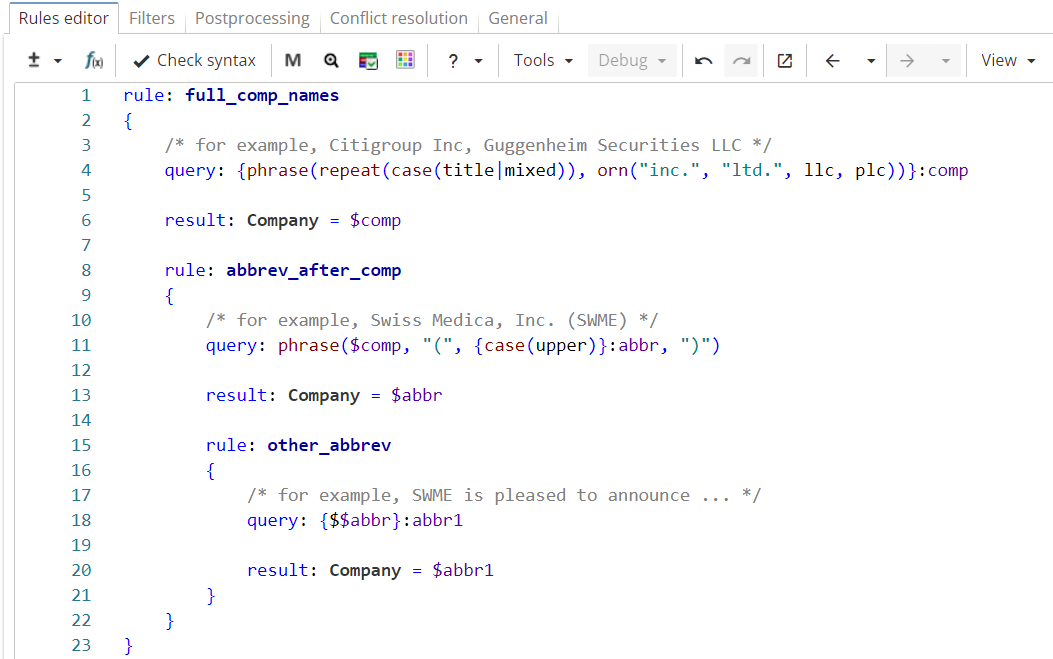
Rule fragment
rule: full_comp_names
 {
 /* for example, Citigroup Inc, Guggenheim Securities LLC */
 query: {phrase(repeat(case(title_mixed)), orn("inc.", "ltd.", llc, plc))}:comp

 result: Company = $comp

 rule: abbrev_after_comp
 {
 /* for example, Swiss Medica, Inc. (SWME) */
 query: phrase($comp, "(", {case(upper)}:abbr, ")")

 result: Company = $abbr

 rule: other_abbrev
 {
 /* for example, SWME is pleased to announce */
 query: {$$abbr}:abbr1

 result: Company = $abbr1
 }
 }
 }
As shown in the Figure 21, the modified version extracts all occurrences of the company name abbreviations, including independent ones.
