Regular Expression Support
The regex() function is used to find text fragments corresponding to a regular expression pattern.
Syntax
The function takes as argument a regular expression enclosed in quotation marks.
The regular expression must correspond to the Perl coding standard (http://perldoc.perl.org/perlre.html).
The function regex() accepts the following optional named parameters:
Named parameter |
Comments |
scope:=word/sentence/paragraph/text |
limits the scope of the expression to word/sentence/paragraph/text; |
casesens:=yes/no |
switches case sensitivity on/off; |
ignore_ws:=yes/no |
allows to ignore/forbid white spaces in a regular expression; |
wholeword:=yes/no |
fragment matched by the regular expression is/is not at a word boundary. |
Example
Note
1) By default, the scope parameter is set to word (the function regex() matches separated tokens of the entire text corresponding to the expression).
If users also wish to find word fragments corresponding to a regular expression, they should add the parameter wholeword:=no.
Example
2) In order to find a text fragment composed of more than one token and corresponding to a regular expression, the "scope:=sentence/paragraph/text" optional parameter should be specified.
Example
By default, if scope:=sentence/paragraph/text, a text fragment corresponding to a regular expression may not assert a word boundary. In order to change this behaviour, users should add wholeword:=yes to the query expression.
Example
3) By default, the casesens parameter is set to no (the function regex() does not take case into consideration).
In order to make the expression case sensitive, users should switch the case sensitivity on, using the named parameter "casesens:=yes".
Example
4) By default, ignore_ws:=yes, i.e., white spaces within a regular expression are ignored. Users can change this behaviour, either using ignore_ws:=no, or a white space special character \s.
Example
Task example 1: Find telephone numbers
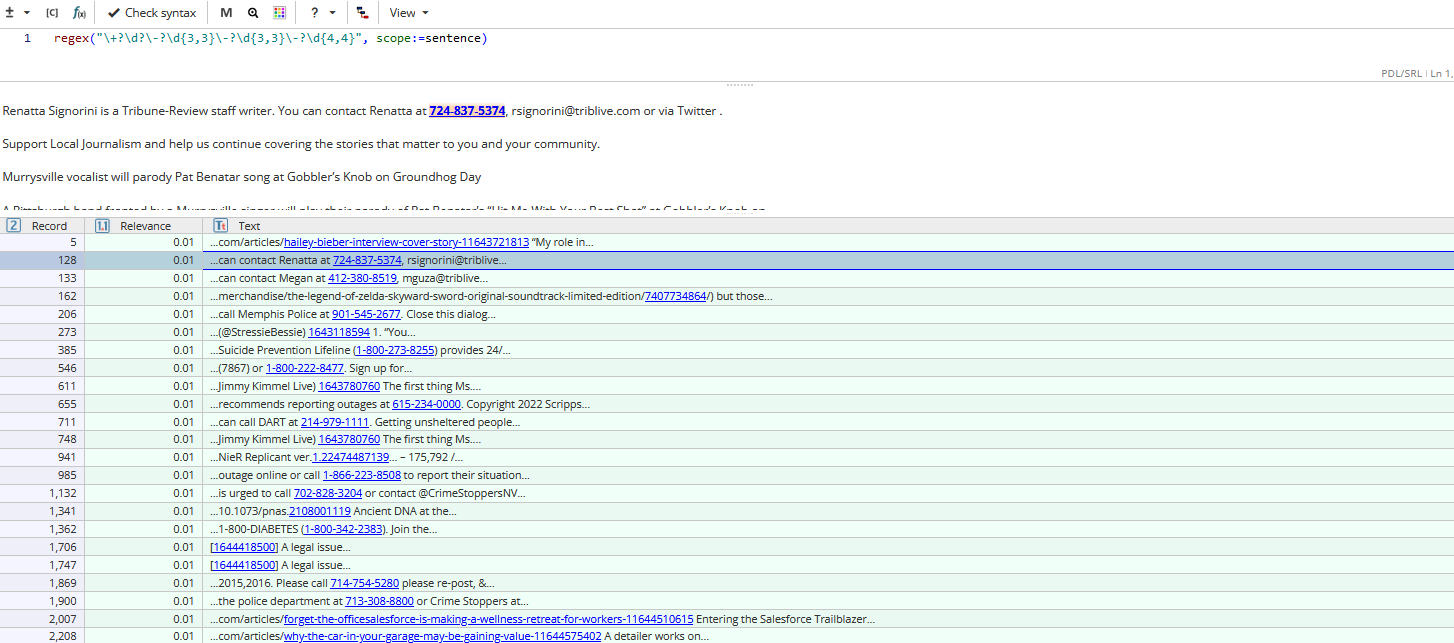
In order to match telephone numbers in +X-XXX-XXX-XXXX, X-XXX-XXX-XXXX, XXX-XXX-XXXX format users can write the following query expression:
This expression does not function without the scope:=sentence parameter, because we are looking for a text fragment which is made up of several tokens.
Task example 2: Find e-mail addresses
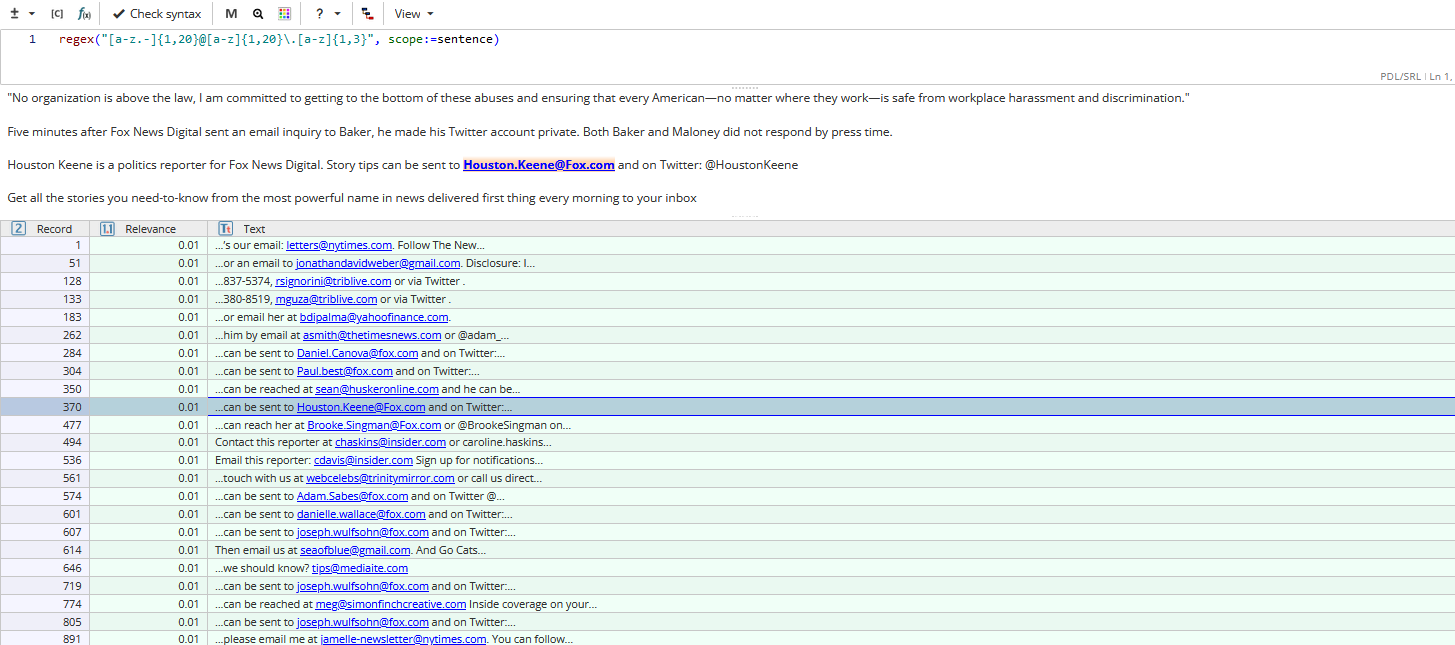
In order to search for e-mail addresses users can write the following query:
Like in the example above, it does not function without scope:=sentence parameter, because we are looking for a text fragment which is composed of several tokens.
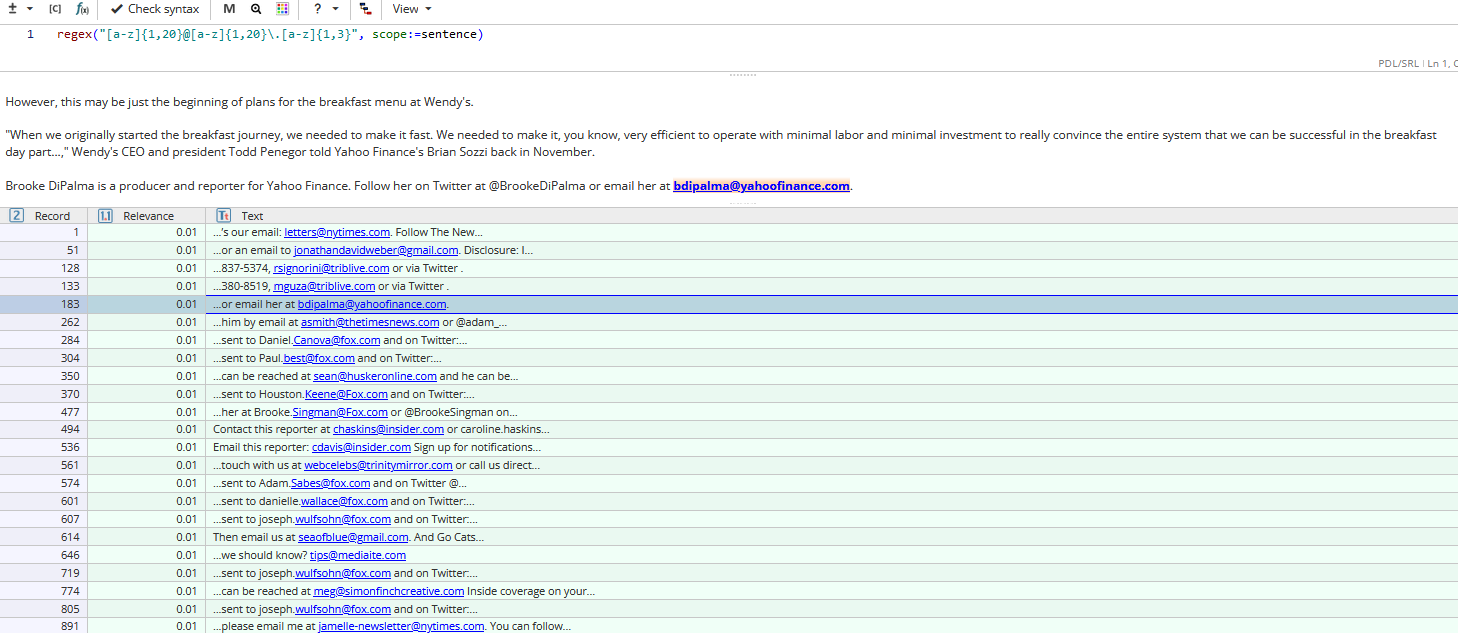
The query clause matches "klantenservice@gmail.com", "webdragon@comcast.net", "euice@outlook.com", "crandall@sbcglobal.net", but does not match "ian.tailor@gmail.com".
The latter can be found adding punctuation marks (".", "-") before "@" sign: