Case-sensitive Search
By default, the search is case-insensitive. For example, the queries "Bio", "BIO", "bio" find the same matches ("Bio", "bio", "BIO", "BiO", "bIo", "bIO", "BIo", etc). To make search case-sensitive, use function case().
Syntax
Example
The character or letter case can be also specified using first optional parameter cap_type which takes one of the following values:
lower |
all letters of the word are in lowercase |
upper |
all letters of the word are in uppercase |
title |
the first letter is in uppercase, all subsequent letters are in lowercase |
mixed |
the word contains letters in upper and lower case in any combination |
Example
If called with cap_type as single argument, the function returns all words in the specified capitalization type.
Example
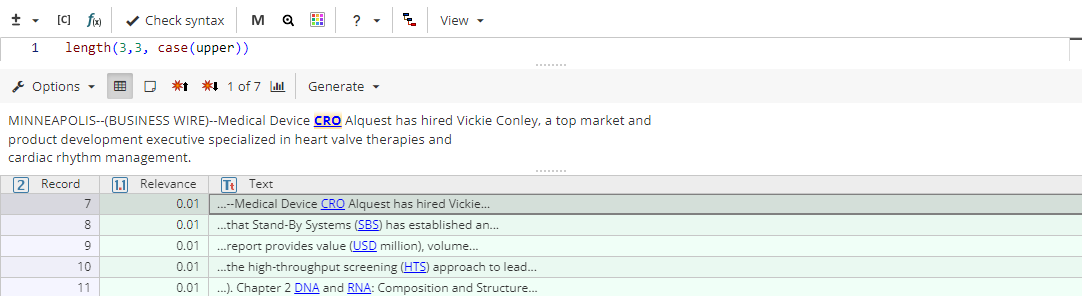
Task Example: Find Abbreviations
length(3,3, case(upper)) matches three-letter words in the upper case: SBS, USD, DNA.
Note
A function with several arguments is equivalent to several functions with a single argument concatenated using the or operator:
Example