About SRL functions
The function is the main element of the SRL.
Functions are used to make SRL perform a complex process. Functions might consist of finding the square root of a number, the first 5 characters of a string, or finding the difference in seconds between two points in time, etc.
Syntax:
Some functions have a bit different syntax:
Arguments can be required or not. Those which are not required are shown in square brackets. Arguments can consist of a column name, a simple value, or another nested function.
For example, consider the sqrt() function which returns a square root of a number.
Note that some functions work with several arguments, or incoming values, e.g. the pow() function which accepts two arguments.
Functions can be nested within each other.
First, the nested square root function is executed, the result of which is 4. Then the outer function is executed, where the result of the square root of 4 is 2.
References for SRL functions
All the SRL functions are described in detail in a separate section.
You can get a quick reference on the SRL functions in the node settings by clicking on the corresponding button.
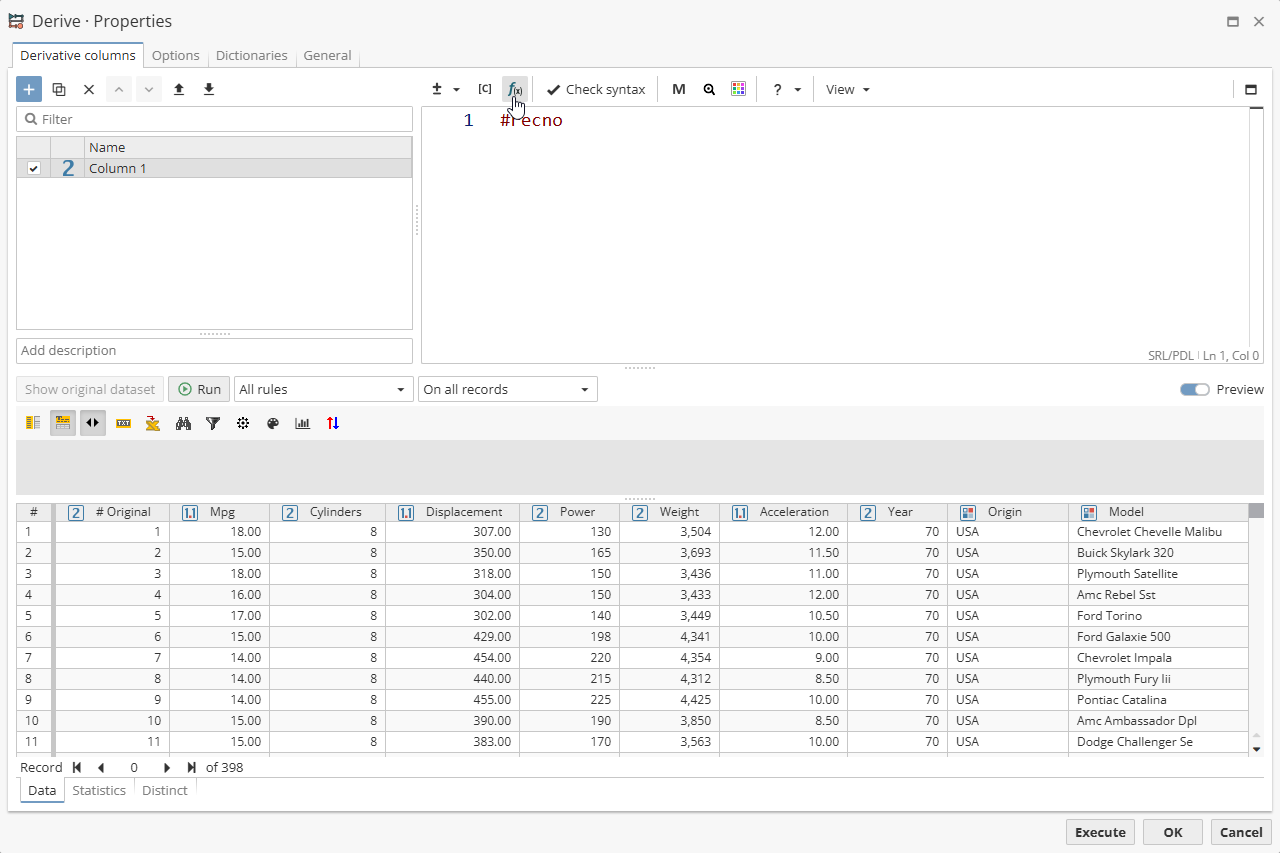
You can also get information on a specific SRL function by hovering the mouse cursor over the name of the function that you added to the text field.
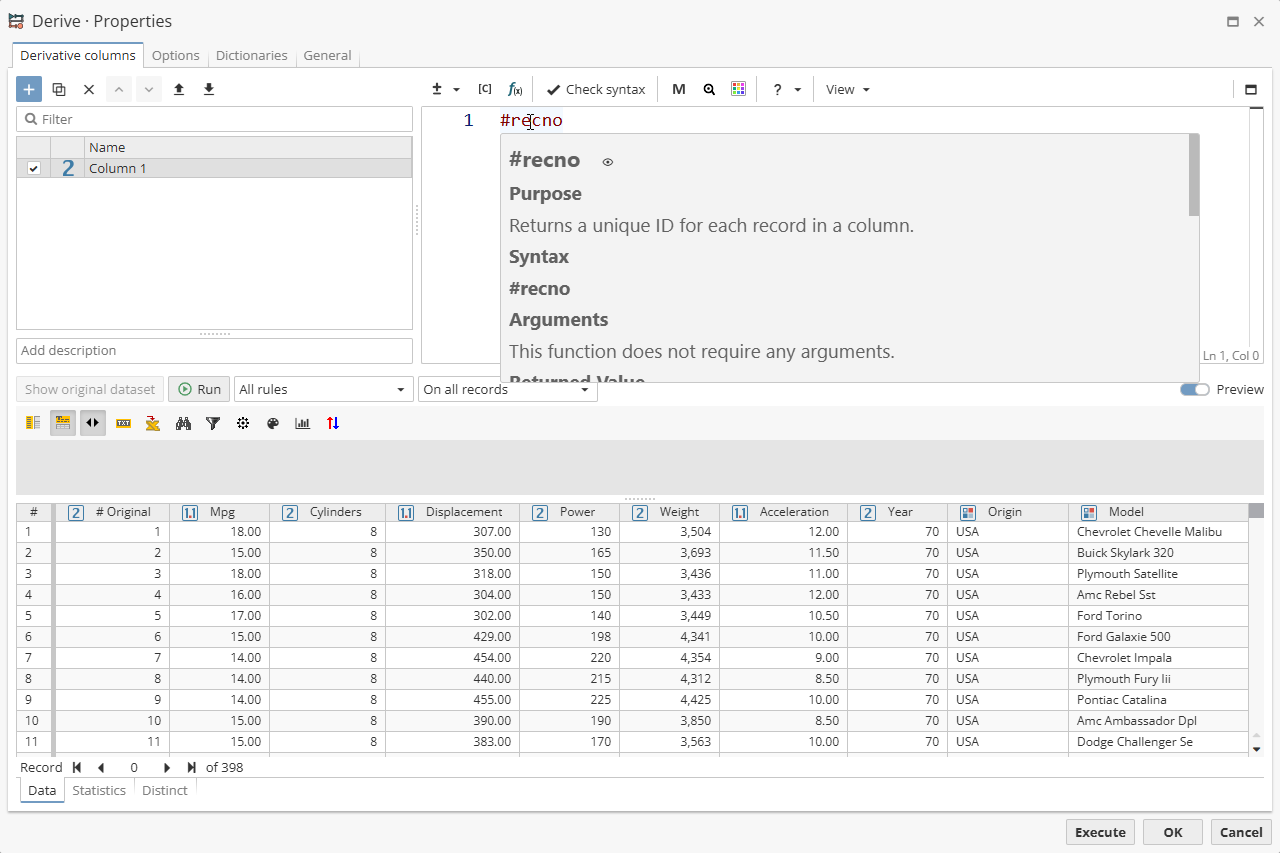
Click on the "eye" icon in the pop-up hint window to open the specified function description

Click on the "eye" icon in the pop-up hint window holding the CTRL button to open the specified function description in a new browser tab.
Notes on using null with functions
SRL provides several functions for working with null values. The term null represents the concept of emptiness, or missing. Notably, a null value is not equivalent to a String value with zero characters present, as even an empty string is still a value that is "present and not empty".
Working with null values in SRL and PDL can cause unexpected results in certain situations. You should always consider how your SRL expression will behave in the presence of null data values.
More on the null values see above.