Configuring Telegram alerts in the Scheduler
Another of the frequently used scheduled tasks is sending Telegram notifications.
Telegram is a cross-platform messenger that allows you to send messages, photos, videos and files which makes it a popular corporative tool used for internal communications.
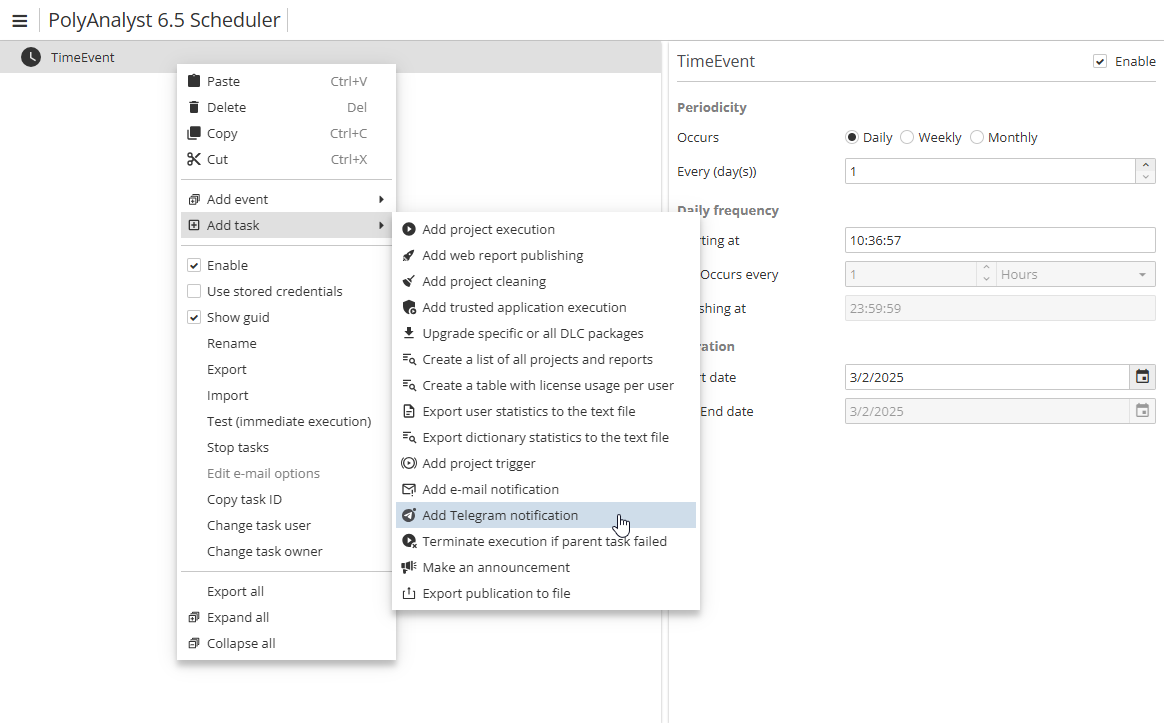
To create a Telegram alert, select Add Telegram notification in the Add task menu.
In a window that opens, fill in the required fields
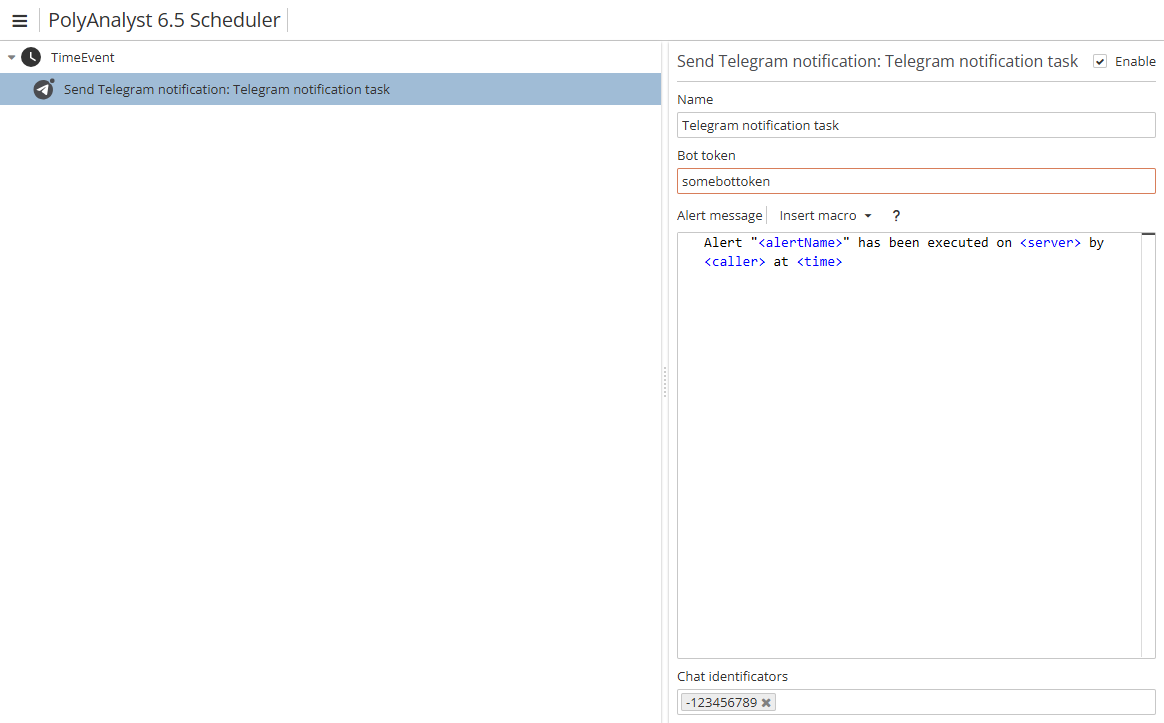
The list of the fields is as follows:
-
Name
-
Bot token
-
Alert message
-
Chat identifications
Note that it is also possible to use macros when sending a Telegram message. Click the Insert macro button to open the list of available macros:
-
Server name (
<server>) – inserts server name (IP-address); -
Project ID (
<projectId>) – inserts project ID; -
Project name (
<projectName>) – inserts project name; -
Execution time (
<time>) – inserts execution time; -
Alert name (
<alertName>) – inserts alert name; -
Trigger (
<trigger>) – inserts a trigger (if only one node was selected for a Trigger-type task); -
Node name (
<objName>) – inserts node name (if only one node was selected for a Trigger-type task); -
Node type (
<objType>) – inserts node type (if only one node was selected for a Trigger-type task); -
Caller (
<caller>) – inserts caller, i.e. the user who initiated the task; -
File (
<file>) – inserts a file, i.e. a file to be sent with the message (e.g. one can use the<file("@user@\some_file.png")>syntax, where@user@is an alias for your PolyAnalyst Drive home folder andsome_file.pngis a file example).
You can only select one macro at a time. In case you want to use several macros, open the Insert macro menu several times.
Bot token and chat ID
A bot token is a unique bot identifier. To get a token, it is needed to contact BotFather, i.e. a Telegram bot used to create and manage other bot accounts.
A chat ID is given in the browser address bar. It must be the ID of that chat where your bot messages are supposed to be sent. Note that a web version of Telegram must be used. A full link will look as https://web.telegram.org/k/#-1234567890.
A chat ID is present after the # character, e.g. in the link above the chat ID is -1234567890.
|
More on Telegram bots see the Telegram documentation.