Repairing projects
A project could become corrupted for several reasons:
-
Your anti-virus software quarantined or modified important files within the project.
-
The physical storage device failed in some unforeseen manner.
-
The computer was shut off in the midst of some operation.
-
There is an actual software error.
Corrupted projects are generally repairable. To repair a project:
-
Close the project, if open.
-
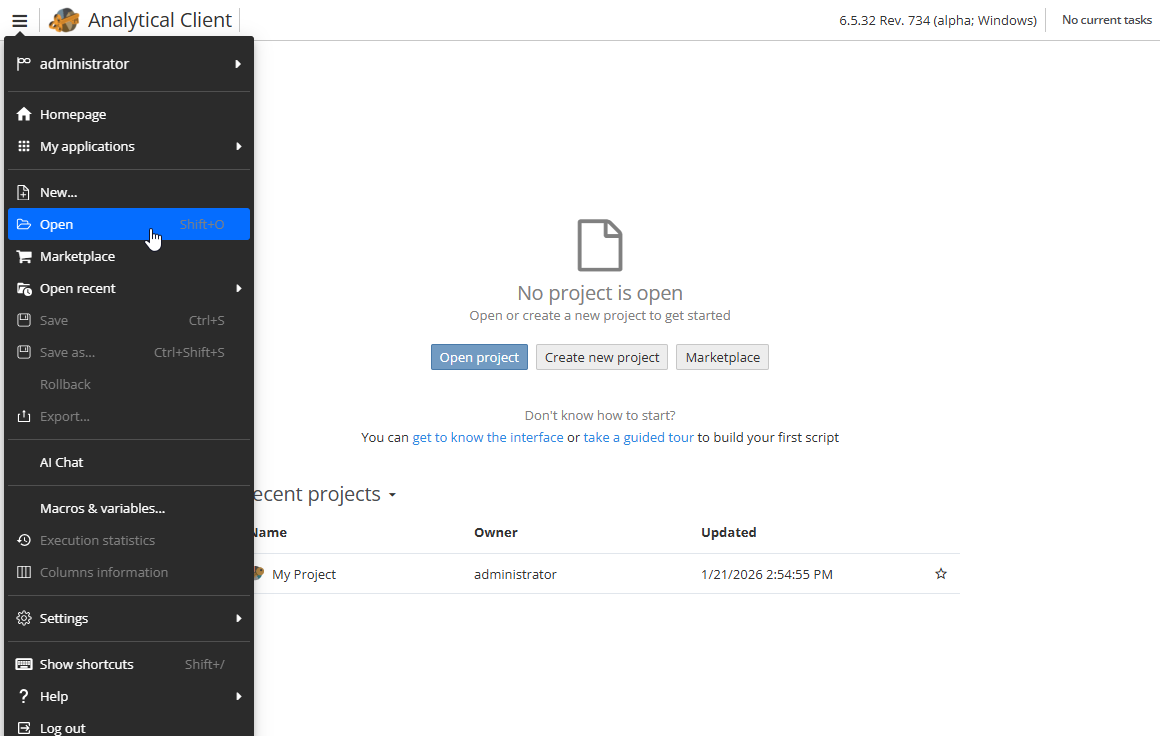
Click the Open option from the main menu of the Analitical Client.
-
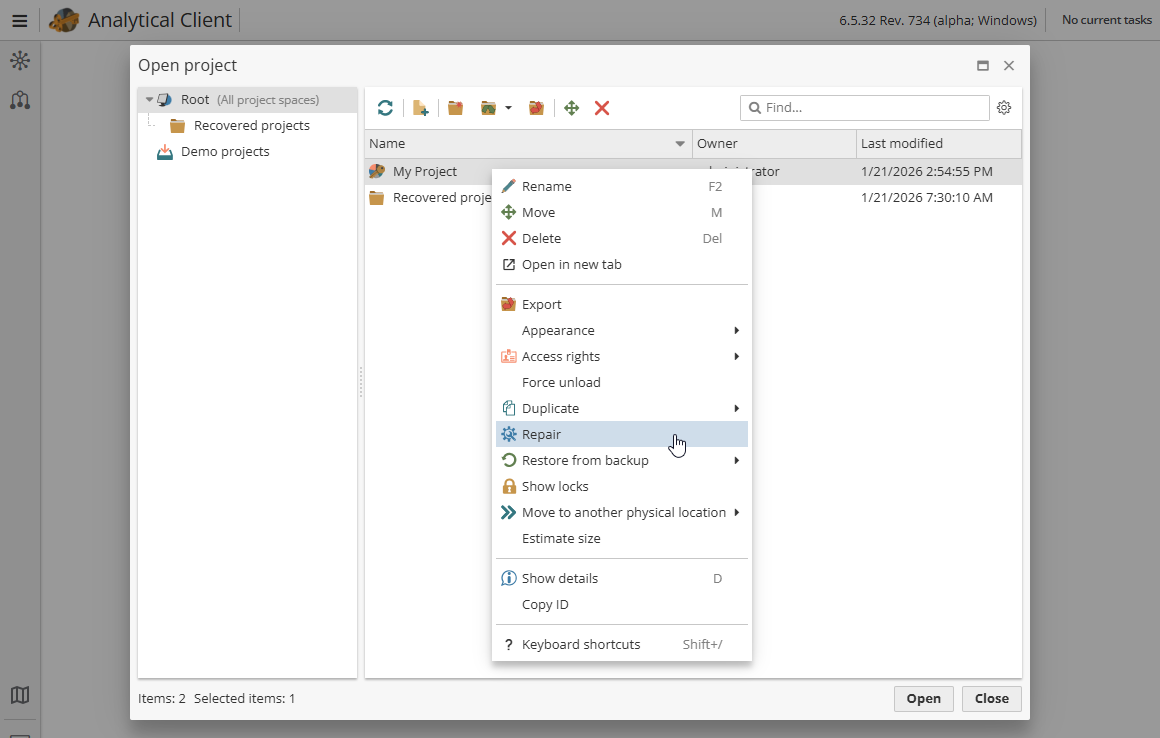
Right-click on the project and select Repair.
-
The repair operation will start.
Be aware that during the repair operation, PolyAnalyst deletes each node’s results in the project, because the results are not considered reliable due to the project’s general corruption. You will need to generate results again by re-executing such nodes.