Importing a project
Open the Analytical Client and click the Open project button.
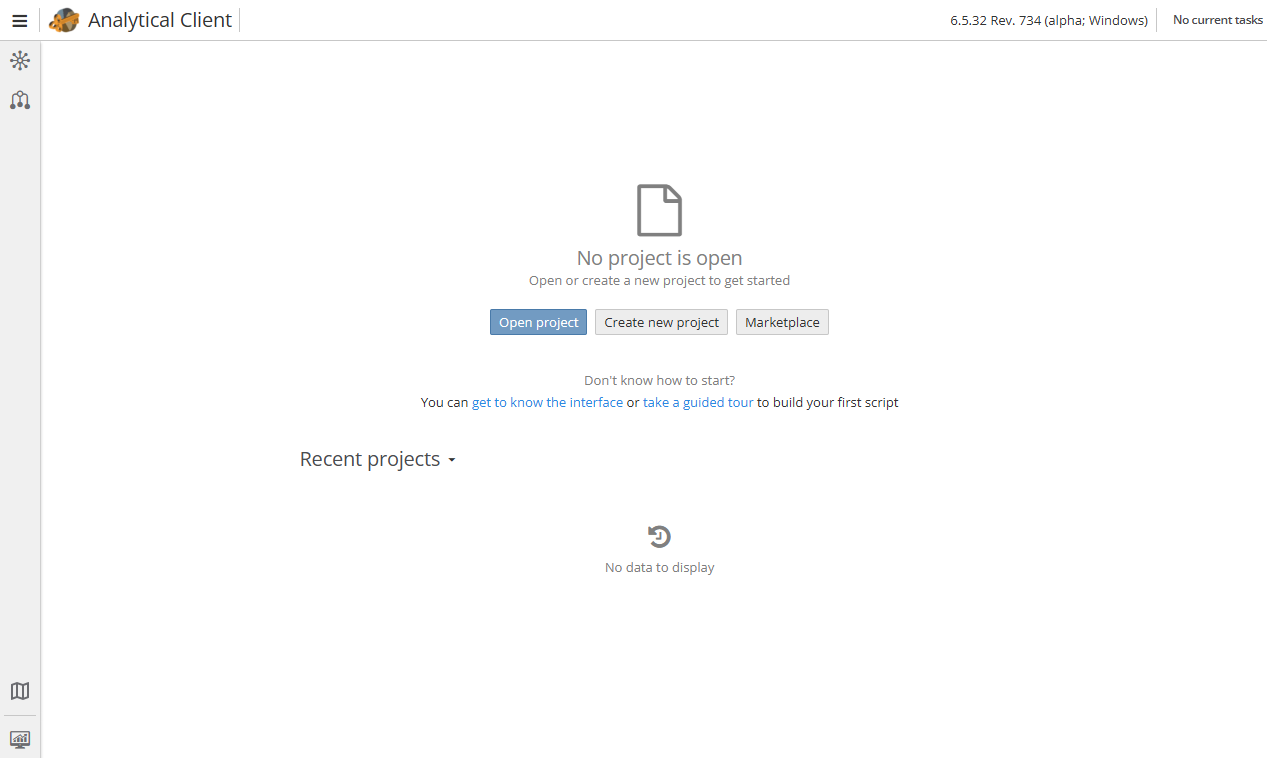
Then click the Import… button.
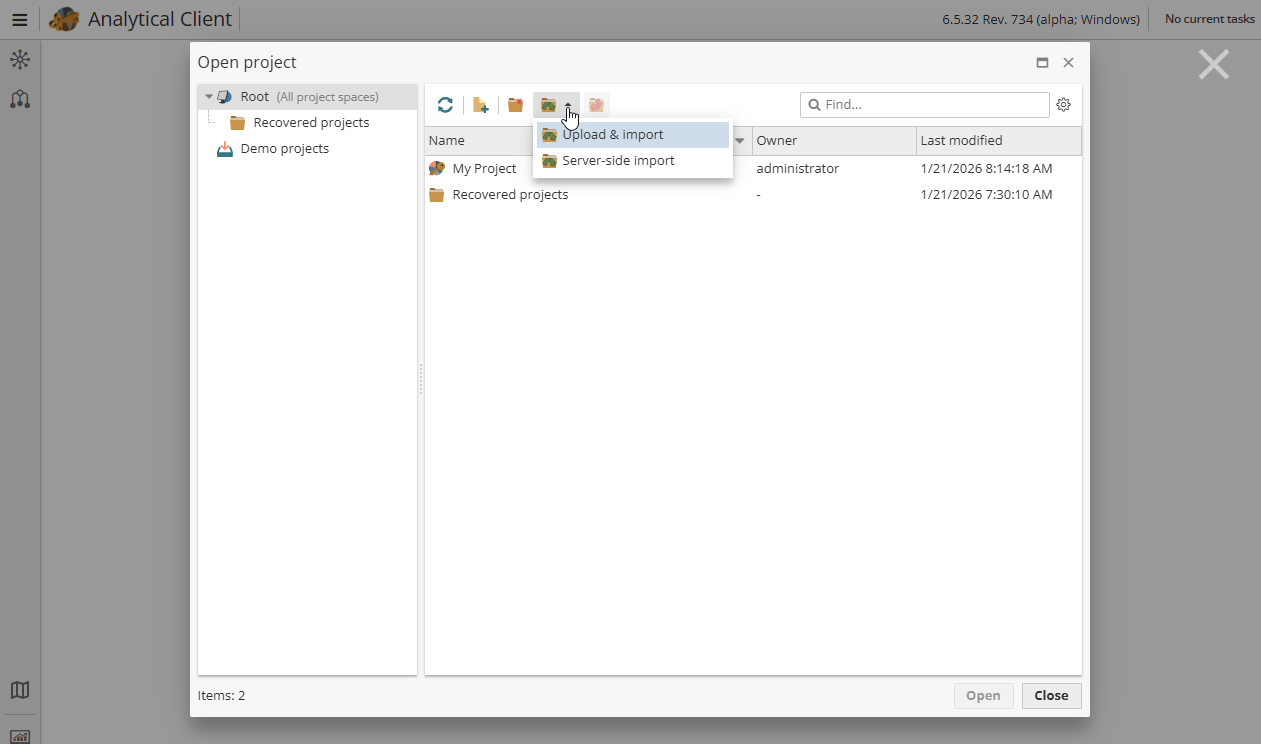
There are two import options available, i.e.
-
Upload & import – imports a project from a local computer or local network.
-
Server-side import – imports a project from the server storage.
Choose a project file and a project space, i.e. a physical location of the project storage.
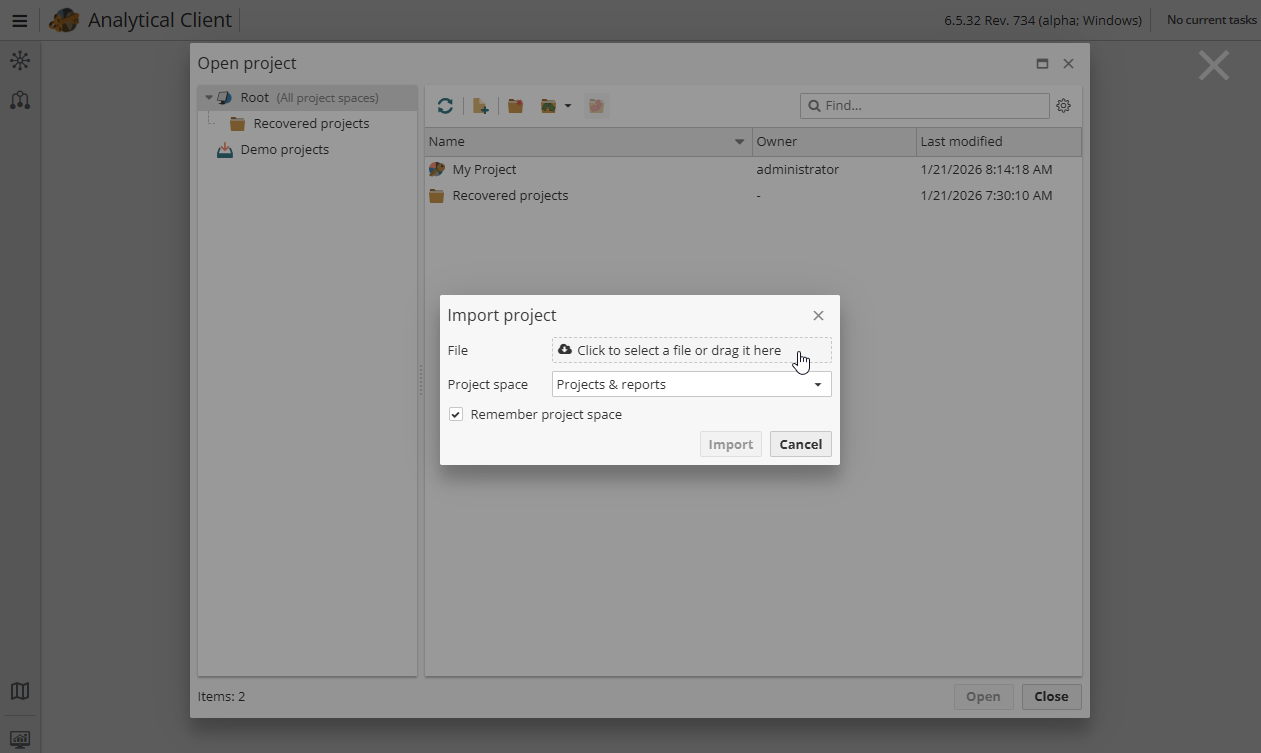
Initially there are two possible project spaces available, i.e. Projects & reports and Archived projects and reports.
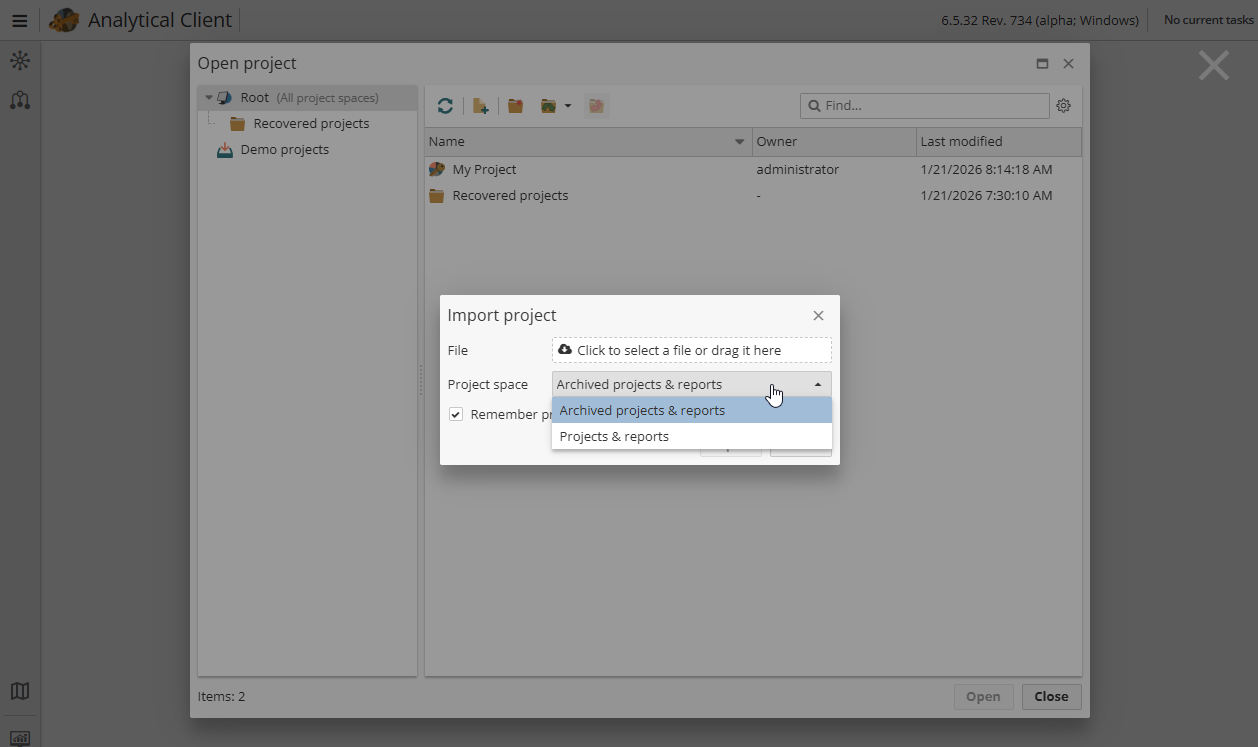
A regular PolyAnalyst user can choose the physical location for a project when the project is created, or change the actual storage place any time later. Administrative users can create new project spaces, choosing the appropriate physical location on the server.
Click Import to finish the start process.